


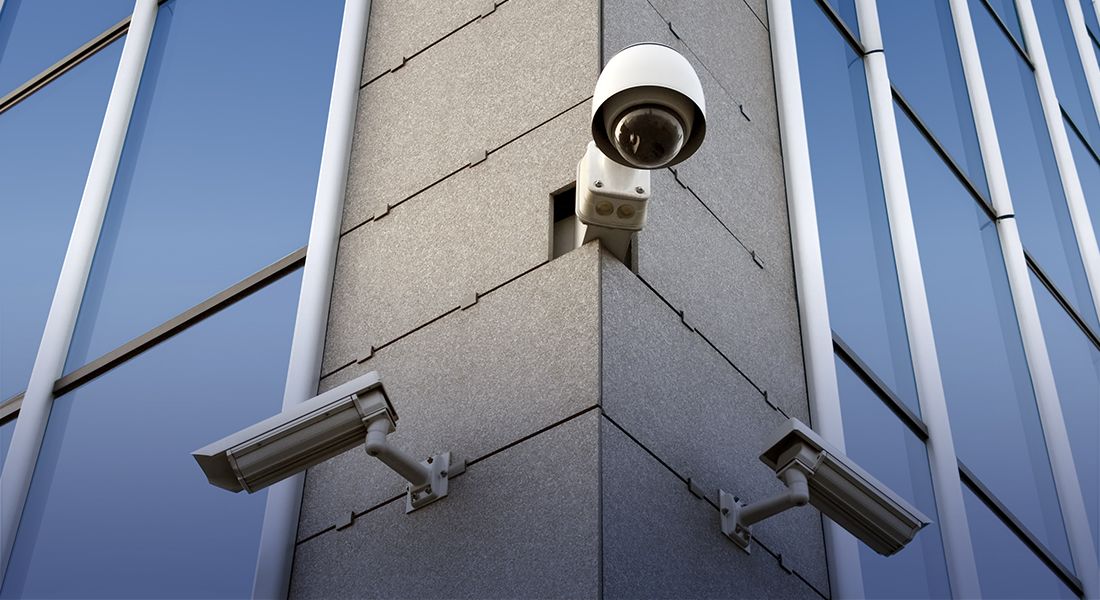

CCTV cameras play an important role in protecting homes, offices, shops, warehouses, and other properties. However, installing cameras is only part of a reliable surveillance system. You also need enough CCTV camera storage to save recorded footage and access it when required.
The amount of storage you need depends on several factors, including the number of cameras, video resolution, recording schedule, frame rate, compression technology, and how many days you want to keep the recordings.
Choosing the right storage capacity helps prevent important footage from being overwritten too quickly while avoiding unnecessary storage costs.
CCTV camera storage refers to the system used to save video footage captured by surveillance cameras.
Most modern CCTV systems use a Digital Video Recorder (DVR) or Network Video Recorder (NVR) connected to a storage drive. Depending on the system, footage may also be stored on memory cards, network storage, or cloud platforms.
For larger surveillance installations, hard disk drives designed for continuous video recording are commonly used because CCTV cameras can record for long periods every day.
Without sufficient storage, older CCTV recordings may be automatically deleted or overwritten when the storage becomes full.
Adequate CCTV camera storage provides several benefits:
For example, a small shop may only need a few days of recording, while a warehouse or commercial property may require several weeks of footage.
There is no single storage capacity that works for every CCTV system. Several factors determine how much storage you need.
The number of cameras has a direct effect on storage requirements.
A system with four cameras will generally consume much less storage than a system with 16 or 32 cameras, assuming similar recording settings.
Before selecting a hard drive, calculate the storage requirements for all cameras rather than considering each camera separately.
Higher-resolution cameras produce larger video files.
For example, footage from a 4K CCTV camera generally requires more storage than footage from a Full HD camera because it contains significantly more image information.
If you are installing high-resolution cameras, your CCTV camera storage capacity should be planned accordingly.
Your recording schedule is another important factor.
There are three common approaches:
Continuous recording: Cameras record 24 hours a day. This provides the most complete footage but requires more storage.
Motion-based recording: Recording starts when movement is detected. This can reduce storage consumption because the system does not continuously save footage when there is no activity.
Scheduled recording: Cameras record during specific hours, such as business operating hours.
Choosing the appropriate recording mode can significantly affect how long your storage lasts.
Modern surveillance systems use video compression technologies to reduce file sizes while maintaining useful image quality.
More efficient compression can help reduce storage requirements. However, the actual storage requirement still depends on resolution, frame rate, scene activity, and other recording settings.
Frame rate refers to the number of video frames recorded per second.
Higher frame rates can provide smoother video but may increase storage requirements.
For many standard security applications, the required frame rate depends on what you need to monitor. Areas where identifying fast movement is important may require different settings from a quiet office environment.
The retention period is the number of days you want CCTV recordings to remain available.
For example:
The longer you want to retain recordings, the more CCTV camera storage you will need.
The exact requirement varies depending on the system configuration.
As a simple example, imagine a property with eight cameras recording continuously. If the cameras use high resolution and a higher bitrate, the system will consume considerably more storage than eight cameras recording at lower settings with motion detection.
A basic storage planning formula can be expressed as:
Required Storage = Number of Cameras × Data Generated Per Camera × Recording Hours × Retention Period
The actual calculation should also account for video compression and the recording settings configured on the DVR or NVR.
For a professional installation, it is better to calculate storage based on the actual camera model, resolution, bitrate, recording schedule, and retention requirement.
Surveillance-grade HDDs are widely used in DVR and NVR systems. They are designed for workloads involving continuous video recording.
They are available in different capacities, allowing users to select storage according to the size of their surveillance system.
Solid-state drives can offer fast access and have no moving mechanical parts. However, storage requirements and recording workloads should be carefully considered before choosing an SSD for a CCTV system.
Some IP cameras include a microSD card slot. This can be useful for individual cameras or backup recording.
However, memory-card capacity may be limited compared with dedicated recorder storage.
Some modern surveillance systems support cloud-based video storage. Cloud storage can provide remote access and an additional backup option, but subscription costs, internet connectivity, and storage limits should be considered.
There is no universal answer to how long CCTV footage remains stored.
It depends on:
When the storage device becomes full, many DVR and NVR systems use an overwrite function. The oldest footage is automatically replaced with newer footage.
Therefore, if you need a specific retention period, the CCTV camera storage capacity should be selected based on that requirement.
Before purchasing storage for a CCTV system, consider these factors:
Make a complete list of cameras that will record to the DVR or NVR.
Determine how many days of footage you need to keep.
Higher-resolution cameras generally require more storage.
If continuous recording is not necessary in every area, motion-based recording may help reduce storage consumption.
Always verify the recorder's supported storage capacity and compatibility before purchasing a hard drive.
It can be useful to allow some storage headroom rather than selecting a capacity that exactly matches the calculated requirement.
Several mistakes can reduce the effectiveness of a surveillance system.
Choosing storage based only on camera count: Two systems with the same number of cameras can have very different storage requirements.
Ignoring resolution: Upgrading from Full HD to higher-resolution cameras can increase storage requirements.
Not considering retention: A system designed for seven days of footage may not meet a requirement for 30 days.
Using unsuitable storage hardware: Storage should be appropriate for the workload and compatible with the DVR or NVR.
Not checking recording settings: Frame rate, bitrate, and recording mode can have a significant impact on storage consumption.
A home with a few cameras may require a relatively modest storage setup. Motion-based recording can be useful when cameras monitor areas that remain empty for long periods.
Offices may require longer retention periods for entrances, reception areas, corridors, and other important locations.
Retail businesses may need continuous recording in areas such as entrances, checkout counters, and storage rooms.
Warehouses often have multiple cameras covering large areas. Storage requirements can therefore be higher, especially when continuous recording is used.
Selecting CCTV cameras is only one part of building an effective surveillance system. Storage capacity, recorder compatibility, camera resolution, recording settings, and retention requirements should all be considered together.
Techtify provides technology and security solutions designed around the requirements of homes, offices, and businesses. If you are planning a new CCTV installation or upgrading an existing surveillance system, professional guidance can help you select suitable equipment and configure the system according to your security needs.
Explore Techtify's website for more information about its technology and security solutions.
The required storage depends on the number of cameras, resolution, bitrate, frame rate, recording schedule, compression, and retention period. A professional calculation based on your actual system specifications is recommended.
It may be enough for some smaller systems, but the retention period will vary depending on camera count and recording settings. A higher number of cameras or continuous high-resolution recording can require substantially more storage.
CCTV footage can be stored for a few days, several weeks, or longer depending on storage capacity and recording settings.
Yes. 4K video generally generates more data than lower-resolution video, so a 4K CCTV system usually requires greater storage capacity when other settings are comparable.
Many DVR- and NVR-based CCTV systems can record locally without an internet connection. Internet access is mainly needed for features such as remote viewing, cloud services, and certain notifications.
Choosing the right CCTV camera storage is essential for maintaining reliable surveillance footage. The ideal capacity depends on your camera count, resolution, recording mode, frame rate, compression, and required retention period.
Instead of selecting storage based on camera count alone, consider the complete CCTV configuration and how long you need recordings to remain available.
With the right combination of cameras, DVR or NVR, storage, and recording settings, you can create a surveillance system that provides dependable video coverage while making efficient use of storage space.

