


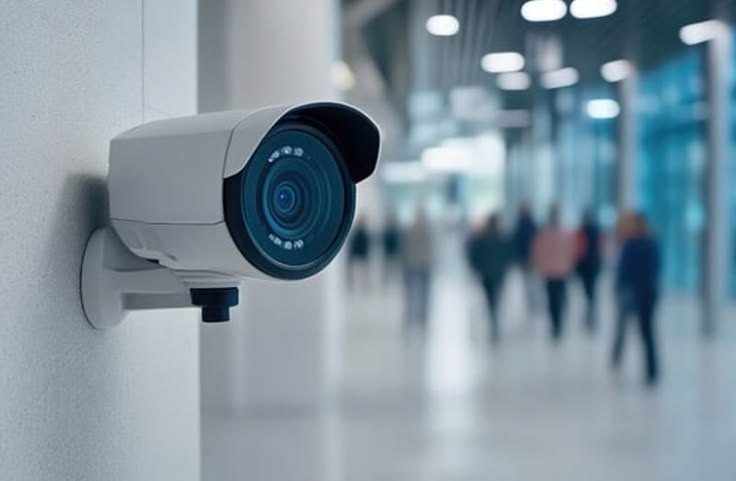

A CCTV system is an important part of security for homes, offices, shops, warehouses, educational institutions, and other properties. Installing good-quality cameras is only the beginning. Regular CCTV camera maintenance is necessary to keep the system working properly and ensure that important footage is available when you need it.
Dust, moisture, damaged cables, power interruptions, storage problems, outdated software, and incorrect camera positioning can affect surveillance performance over time.
A simple maintenance routine can help identify these problems early and keep your CCTV system operating reliably.
CCTV camera maintenance involves regularly checking, cleaning, testing, and servicing the different components of a surveillance system.
A typical CCTV setup may include:
Each component should be checked periodically because a problem with one part can affect the overall system.
Regular maintenance helps ensure that cameras continue to provide usable footage.
Some important benefits include:
A CCTV camera that looks normal from the outside may still have problems with recording, connectivity, storage, or night vision. Regular testing helps identify these issues.
One of the simplest maintenance tasks is cleaning the camera lens.
Dust, fingerprints, water marks, insects, and spider webs can reduce image clarity. Outdoor cameras are particularly exposed to dirt and weather conditions.
Use suitable cleaning materials and gently clean the lens. Avoid abrasive materials that could scratch the camera surface.
Check the image after cleaning to make sure the camera provides a clear view.
The camera housing protects internal components from environmental conditions.
During maintenance, check for:
Outdoor cameras may require additional attention because they are exposed to rain, heat, dust, and humidity.
If moisture enters the camera housing, it can affect electronic components and image quality.
Damaged or loose cables can cause intermittent video, complete signal loss, or poor connectivity.
Inspect cables for visible damage and check whether connectors are securely connected.
Pay attention to cables running through:
Cable damage may not always be immediately visible, so unusual video interruptions should be investigated.
CCTV cameras require a stable power source.
During maintenance, check whether all cameras are receiving power correctly. If one camera repeatedly switches off or restarts, the issue could be related to the power supply, cable, connector, or camera itself.
A professional technician can test the power supply when necessary and identify potential electrical problems.
Do not assume that all cameras are working simply because the surveillance monitor displays some video.
Review every camera individually.
Check:
Testing each camera helps identify problems that may otherwise go unnoticed.
Many CCTV systems operate continuously, including during nighttime.
Check recorded footage after dark to make sure the camera provides useful images.
Look for:
If nighttime footage is unclear, camera positioning, lighting, lens condition, or camera settings may need attention.
The DVR or NVR is an important part of the surveillance system because it manages video recording and storage.
During maintenance, check whether:
Unexpected recorder errors should be investigated rather than ignored.
A CCTV system is only useful if important footage is being recorded and stored correctly.
Check the available storage capacity and confirm that the system is recording according to your chosen settings.
Many CCTV systems use automatic overwrite functions when storage becomes full. However, storage health should still be monitored to identify potential drive problems before they cause data loss.
Correct date and time information is important when reviewing surveillance footage.
Imagine an incident occurring at 8:00 PM but the CCTV recorder's clock is several hours behind. Finding the relevant footage could become more difficult.
Check the date, time, and time-zone settings regularly.
Network-connected systems may support automatic time synchronization, depending on the equipment and configuration.
Modern CCTV systems may allow users to view cameras through smartphones, tablets, or computers.
Periodically test remote access to make sure the cameras are accessible when required.
Check:
If remote viewing stops working, the issue may involve the internet connection, network configuration, application, recorder, or camera.
A camera's position can change over time.
Vibrations, accidental impacts, maintenance work, weather, or other activities can move a camera slightly.
During routine CCTV camera maintenance, check whether cameras are still pointing toward the intended areas.
Make sure important locations such as entrances, gates, corridors, parking areas, and other monitored spaces remain within the camera's field of view.
Objects placed in front of cameras can gradually reduce coverage.
New shelves, signs, plants, equipment, vehicles, or construction materials may obstruct the camera.
Whenever the property layout changes, review the CCTV coverage to ensure that important areas remain visible.
Depending on the manufacturer and equipment, CCTV cameras, DVRs, NVRs, and mobile applications may receive software or firmware updates.
Updates can provide security improvements, bug fixes, compatibility improvements, and new features.
Before performing an update, check the manufacturer's instructions and compatibility requirements.
For business-critical surveillance systems, updates should be handled carefully to avoid unnecessary downtime.
Security does not end with physical cameras.
Network-connected CCTV systems should also be protected against unauthorized access.
Use strong, unique passwords and review user accounts periodically. Remove access for users who no longer require it.
Where supported, use appropriate security settings such as multi-factor authentication and secure network configurations.
A maintenance schedule makes it easier to keep track of the system.
Depending on the importance of the system, check:
Consider checking:
For larger installations, professional inspections can include more detailed checks of cameras, recorders, network equipment, storage, power supplies, and system configuration.
The appropriate maintenance frequency depends on the size, environment, and importance of the CCTV installation.
Avoid these common mistakes:
If footage becomes blurry or dark, investigate the cause rather than assuming it is temporary.
Harsh or abrasive materials can damage lenses or protective surfaces.
A camera may display live video but fail to record correctly. Always verify recording functionality.
Storage errors can prevent important footage from being saved.
Outdoor cameras face dust, rain, sunlight, insects, and temperature changes and may require more frequent inspection.
A camera that works well during the day may have problems at night.
Some maintenance tasks are simple, but technical problems may require professional assistance.
Consider professional support when you experience:
Attempting complex electrical, networking, or hardware repairs without the necessary knowledge can cause further damage.
A well-maintained CCTV system provides more dependable surveillance and helps ensure that cameras, recording equipment, storage, and connectivity continue to work together.
Techtify provides technology and security solutions for residential and commercial requirements. Professional CCTV installation, inspection, troubleshooting, and maintenance can help businesses and property owners keep their surveillance systems operating effectively.
For more information about CCTV and technology solutions, visit Techtify.
The ideal maintenance frequency depends on the environment and importance of the surveillance system. Basic checks can be performed regularly, while a more detailed inspection can be scheduled periodically.
Keep the lens clean, inspect the camera housing, check for moisture and physical damage, inspect cables and connectors, and verify that the camera is still positioned correctly.
A dirty lens, moisture, damaged lens, incorrect focus, poor lighting, or camera hardware problems can cause blurry footage.
Storage problems can prevent new footage from being recorded or cause important recordings to be unavailable. Regular checks help identify storage issues early.
Basic tasks such as checking footage, cleaning the exterior, and reviewing camera positioning can often be performed by the system owner. Electrical, networking, hardware, and complex configuration issues should be handled by a qualified professional when necessary.
Regular CCTV camera maintenance is essential for keeping a surveillance system reliable. Cleaning lenses, checking cables, testing recording, inspecting storage, reviewing night vision, verifying camera positioning, and monitoring system performance can help prevent unexpected failures.
Instead of waiting until a security camera stops working, establish a simple maintenance schedule and address small problems early.
For homes and businesses that depend on CCTV for security, consistent maintenance can help ensure that the surveillance system is ready when it is needed most.

